
If you are searching for maritime software companies, you are probably trying to solve a very specific operational problem.
You may be replacing spreadsheets, moving away from an older system, comparing vendors before an implementation, or looking for one place to manage work that currently sits across email, PDFs, accounting software, and shared files.
The challenge is that maritime software covers a lot of ground.
A port agent may need help managing nominations, vendors, PDAs, and FDAs. A technical manager may be looking for planned maintenance and dry-dock records. A crewing team may need better control over certifications, rotations, and payroll. A commercial operator may need chartering, voyage estimates, and freight accounting.
At first, many of these systems can look similar. They all mention dashboards, vessel records, documents, accounting, approvals, and reporting.
The difference is in the work the software was built to handle every day.
This guide will help you sort through the main maritime software categories, understand which type fits your operation, see where the categories overlap, and place Base clearly within the market.
The Maritime Software Category Map
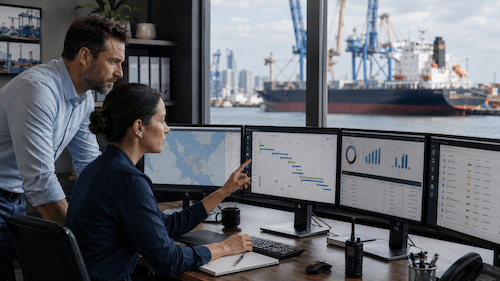
Maritime software generally falls into seven categories:
| Software category | What it primarily manages | Typical users | Common use case |
|---|---|---|---|
| Port call and ship agency operations | Local vessel-call execution and its financial record | Port agents, ship agents, husbandry teams | Managing nominations, services, vendors, documents, PDAs, and FDAs |
| Disbursement and maritime accounting | Call-level costs, billing, payables, receivables, and evidence | Agency finance teams, controllers, principals | Connecting estimated and actual port costs to supporting documents |
| Vessel and fleet management | Technical vessel condition and shore-side fleet operations | Owners, technical managers, superintendents | Managing maintenance, defects, certificates, safety, and spares |
| Commercial voyage management and maritime ERP | Chartering, voyage execution, freight, risk, and voyage economics | Owners, operators, charterers, traders | Managing a commercial voyage from estimate through settlement |
| Navigation and voyage safety | Routes, charts, weather, and bridge decision support | Masters, deck officers, marine safety teams | Planning and monitoring safe vessel passage |
| Crewing and maritime HR | Seafarer records, rotations, qualifications, payroll, and travel | Crewing departments, manning agencies | Managing crew availability, compliance, contracts, and assignments |
| Maritime procurement | Requisitions, suppliers, quotes, orders, and marine supply | Purchasing teams, ship managers, suppliers | Buying vessel stores, spares, equipment, or local marine services |
The map offers a quick comparison of the main maritime software categories and the work each one is built to manage.
That overview is useful for narrowing the field, but it does not show the full differences between the products. Categories can share features while supporting different users, timelines, and financial records.
The 7 Types of Maritime Software Companies
The next sections break down each category in more detail, including who it serves, what it typically covers, and what buyers should understand before comparing companies. Let’s take a look:
1. Port Call and Ship Agency Software Companies
Port call and ship agency software manages the work surrounding a vessel’s arrival, time in port, and departure.
A call may begin with a nomination email. From there, the agent coordinates port requirements, local vendors, husbandry services, documents, updates, costs, approvals, and billing.
A dedicated agency system may contain:
- Vessel, voyage, port, terminal, and berth details
- Estimated arrival and departure times
- Service requests
- Vendor quotes
- Purchase orders
- Operational tasks and updates
- Pre-arrival documents
- Principal approvals
- Proforma disbursement accounts
- Vendor invoices
- Final disbursement accounts
- Supporting financial evidence
The category is primarily built for port agents, ship agents, husbandry providers, regional agency networks, and maritime service companies.
When comparing companies in this category, buyers should test a complete call. A nomination should become a structured job. Vendor activity should remain connected to the call. Estimated costs should carry into the financial process. Actual charges and documents should be easy to trace.
External participation matters too. Principals, vendors, and sub-agents often need access to selected information. The system should provide that visibility without exposing unrelated internal records.
For more context on the underlying process, read what is a port call.
2. Disbursement and Maritime Accounting Software
Maritime accounting can begin with a vessel, voyage, contract, legal entity, or port call.
For ship agents, it usually begins with the call.
The proforma disbursement account estimates the expected cost of the appointment. As the call develops, quotes, purchase orders, vendor bills, currency conversions, agency fees, and supporting documents update that estimate. The final disbursement account records the costs that were incurred.
Maritime accounting software serving this work may manage:
- Rate cards and tariffs
- PDA preparation
- Cost approvals
- Vendor bills
- Multi-currency charges
- PDA-to-FDA variance
- Principal invoices
- Accounts payable
- Accounts receivable
- Accruals
- Credit notes
- Job profitability
- Accounting exports
The main distinction is between the maritime operating record and the company’s general ledger.
QuickBooks, Xero, Sage, or another accounting product may remain the formal book of record. The maritime system carries the operational detail needed before financial entries reach that ledger.
That detail answers practical questions:
- Which call incurred the cost?
- Which vendor performed the service?
- What amount was estimated?
- What amount was approved?
- What amount was billed?
- Which document supports the charge?
- Which principal owes the money?
A general accounting product may not hold that full call-level chain.
3. Vessel and Fleet Management Software Companies
Vessel and fleet management software supports the technical and shore-side management of ships.
Its users may include shipowners, technical managers, fleet managers, superintendents, marine safety teams, and compliance departments.
Common functions include:
- Planned maintenance
- Defect reporting
- Spare-parts inventory
- Technical purchasing
- Certificate tracking
- Inspections
- Hull integrity
- Dry-dock planning
- Safety and quality records
- Fleet performance reporting
Companies such as DNV and BASSnet operate in this category. Their products cover broad areas of technical ship management, procurement, safety, and fleet administration.
The key time frame is the life of the vessel.
A defect may remain open across several voyages and ports. A maintenance schedule may cover months or years. Certificate records need to remain current regardless of the ship’s next destination.
A port-agency system has a shorter and more local operating window. It may coordinate the technician, launch, transportation, local permits, vendor order, and invoice for one repair visit. The technical system retains the vessel’s maintenance history.
Both systems may need the same vessel particulars. They use those particulars for different decisions.
Technical systems follow the vessel. Commercial maritime ERP products follow the voyage and the revenue attached to it.
4. Maritime ERP and Commercial Voyage Management Software
The term “maritime ERP software” covers two common product models.
A ship-management ERP may combine technical maintenance, procurement, safety, crewing, payroll, and vessel budgets.
A commercial maritime ERP may combine chartering, voyage estimates, freight contracts, cargo commitments, bunker planning, claims, operations, and voyage accounting.
Commercial systems are typically used by shipowners, operators, charterers, and commodity traders. Veson Nautical’s IMOS is a well-known example in this part of the market.
These systems may manage:
- Pre-fixture estimates
- Chartering
- Vessel scheduling
- Cargo nominations
- Freight
- Bunker planning
- Voyage instructions
- Laytime
- Demurrage
- Claims
- Voyage profit and loss
- Post-voyage settlement
A voyage may include several port calls. It also carries commercial information that the local port agent does not manage, including freight revenue, charter-party terms, cargo commitments, and voyage-level economics.
That creates a natural division of responsibility.
The commercial system manages the voyage. The agency system manages the local execution of each appointment. Port costs and status information can pass back to the commercial record without forcing both teams to work from the same operational structure.
Many owners and operators need both categories. They may also use separate fleet, crew, navigation, and accounting products.
The next category supports the safe passage of the vessel rather than its commercial or local service record.
5. Navigation and Voyage Safety Software Companies
Navigation software supports bridge teams and shore-side marine safety departments.
Products in this category may provide:
- Electronic charts
- Chart updates
- Route planning
- Weather data
- Passage planning
- Navigational publications
- Notices
- Shore-side route review
- Bridge decision support
ChartWorld and OneOcean are examples of companies serving this part of the industry.
The main users are masters, deck officers, navigation departments, and marine safety teams. Their work concerns the vessel’s safe route and the information needed to execute it.
Navigation systems may share arrival information, positions, and port data with shore-side products. They generally do not manage local vendors, agency billing, crew transportation, or disbursement accounts.
Once the vessel arrives, another overlap appears around crew movements.
6. Crewing and Maritime HR Software Companies
Crewing software manages the employment, qualification, assignment, and compliance record for each seafarer.
Typical functions include:
- Crew profiles
- Contracts
- Vessel assignments
- Rotations
- Availability
- Qualifications
- Medical records
- Certificates
- Training
- Payroll
- Work and rest
- Travel
- Appraisals
Shipowners, ship managers, manning agencies, and maritime HR teams rely on these systems to track who can sail, where they are assigned, and which requirements remain outstanding.
A crew change creates activity in both the crewing system and the port-call system.
The crewing department handles the seafarer’s assignment, employment records, qualifications, contract, and rotation plan.
The local agent handles the work required at the port:
- Airport pickup
- Ground transportation
- Hotel arrangements
- Immigration
- Launch services
- Local permits
- Meet-and-assist services
- Vendor charges
Each system records the part handled by its own users.
A similar division appears in procurement, where the source of the request determines which software category fits best.
7. Maritime Procurement Software Companies
Maritime procurement software manages purchasing across vessels, offices, and marine suppliers.
Common functions include:
- Vessel requisitions
- Supplier search
- Requests for quotation
- Quote comparison
- Purchase orders
- Product catalogs
- Contract pricing
- Supplier records
- Delivery status
- Invoice matching
Some products operate as marine marketplaces. ShipServ is one example. Other procurement products are modules within fleet-management and maritime ERP suites.
The word “procurement” can describe two different purchasing environments.
Vessel-supply procurement covers items such as:
- Engine parts
- Safety equipment
- Deck stores
- Paint
- Provisions
- Consumables
- Planned spares
Port-call procurement covers time-sensitive local services such as:
- Tugs
- Pilots
- Launches
- Transportation
- Waste handling
- Fresh water
- Security
- Husbandry support
The first type often begins with a vessel requisition or maintenance requirement. The second begins with a live call and its service schedule.
Now that the main categories are clear, the remaining overlaps can be handled in one place.
How to Compare Maritime Software Companies

You should now have a clearer sense of which maritime software category matches the work your team needs to manage.
The next step is comparing companies within that category.
A strong evaluation goes beyond checking which vendor has accounting, reporting, document storage, or purchase orders. You need to see how the software handles the full workflow, including the people involved, the financial result, and the systems that receive the data afterward.
Start With the Workflow You Need to Manage
Choose a common piece of work and follow it from beginning to end.
For a port agent, that may be a vessel call from nomination through FDA closeout. For a technical team, it may be a defect from initial report through repair. For a crewing department, it may be a crew rotation from planning through embarkation.
Identify:
- Who creates the first record
- Who updates it
- Which approvals are required
- Which outside parties participate
- Where documents are stored
- Where costs and revenue are recorded
- Which system receives the final data
This gives you a practical standard for comparing demonstrations.
Consider the People Who Will Use It Every Day
The software should support the people responsible for keeping its records current.
A manager may care about reports across vessels, calls, or voyages. The agent, superintendent, purchaser, crew coordinator, officer, or accountant still needs to enter and update the underlying information.
Ask daily users to take part in the evaluation. They can quickly identify extra steps, missing fields, and workflows that do not match how the work is actually handled.
Define How the Software Connects to the Financial Record
Maritime businesses measure financial performance in different ways. The relevant unit may be a port call, voyage, vessel, project, contract, client, or legal entity.
During each vendor review, confirm:
- Where costs are approved
- Where vendor invoices are recorded
- Where customer invoices are created
- Where supporting evidence is stored
- How estimated and actual amounts are compared
- Which information is posted to the general ledger
- Which reports finance can produce from the system
These answers show whether the product can carry the financial detail required by your operation.
Test a Real Exception
Standard demonstrations usually show the cleanest version of a workflow. Daily maritime operations rarely follow that script.
Give each vendor a realistic exception and ask them to work through it inside the product.
For port-call software, that could include:
- An ETA change after vendors have been booked
- A berth change that affects tug and transportation costs
- A vendor invoice that exceeds the approved quote
- A disputed FDA line
- A late receipt
- Work assigned to a sub-agent
For other categories, use an urgent defect, an expiring crew certificate, an unavailable spare, or a voyage change that affects expected cost.
Watch how the system records the change, alerts the right people, updates the financial record, and preserves the approval history.
Review Integrations and Product Boundaries
The software will probably work alongside other maritime and accounting products.
Research published in the journal Research in Transportation Business & Management describes maritime digitalization as change spanning business units and networks of organizations. That broader view matters when several teams and companies contribute to the same operation.
Ask each vendor:
- Which system should maintain vessel master data?
- Where should formal accounting take place?
- Which workflows belong in another product?
- Which integrations are already available?
- How do clients, vendors, and outside partners participate?
- Which tasks will still happen through email or spreadsheets?
- Which reports require data from another system?
Clear answers help you judge the real implementation scope and identify gaps before they become workarounds.
How Maritime Software Systems Work Together
Most maritime companies use more than one system because commercial, technical, crewing, navigation, agency, procurement, and accounting teams manage different parts of the operation.
The key is to give each system a clear role.
A fleet platform may maintain vessel and maintenance records. A commercial system may manage the voyage. A crewing product may hold seafarer records. A port-agency system may manage the local call, vendors, costs, and disbursement account. The general ledger may receive the final financial entries.
These systems may share vessel data, vendor details, invoices, documents, and status updates. Clear data ownership and reliable integrations keep those records consistent across teams.
This matters most when operational work and financial consequences happen close together. Port calls are a clear example, which is where Base fits into the broader maritime software structure.
Where Base Fits in the Maritime Landscape
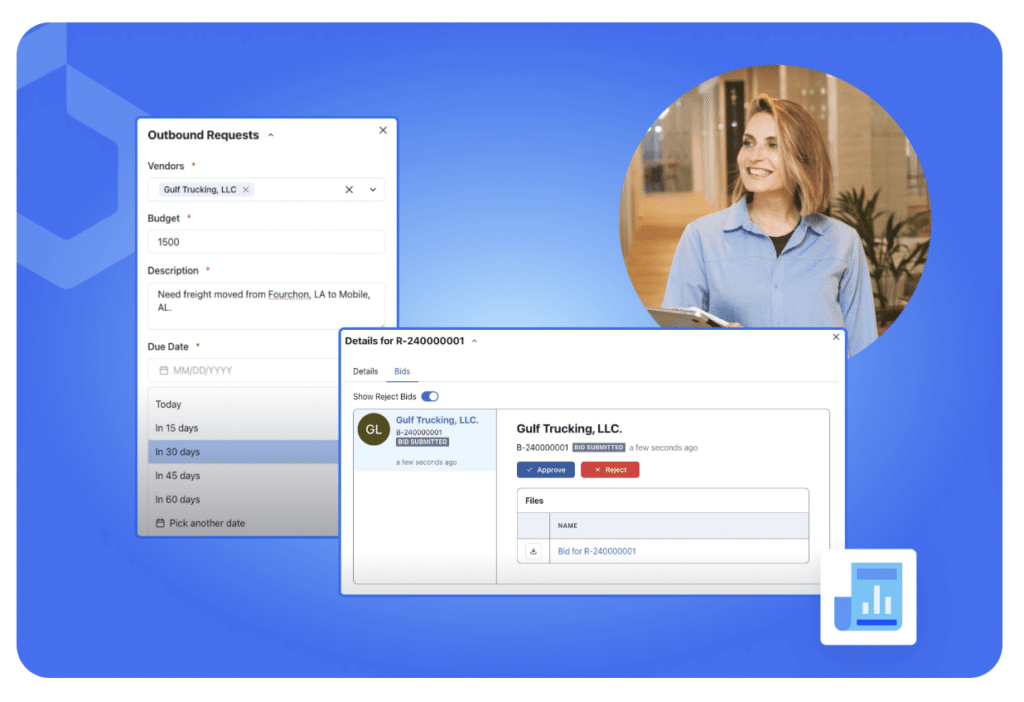
Base brings a large share of port agency and maritime service work into one operating system.
For many teams, that means replacing the patchwork of spreadsheets, inboxes, shared drives, standalone quoting tools, separate approval trackers, job-costing sheets, and disconnected accounting workflows that sit around each port call.
Base connects:
- Nominations and jobs
- Ports and vessels
- Companies and vendors
- Service requests and quotes
- Purchase orders and approvals
- Documents and operational updates
- Accounts payable and receivable
- PDAs and FDAs
- Job costs, revenue, and margin
- Principal, vendor, and sub-agent collaboration
Each call becomes one structured operational and financial record. The team can manage the work, record the decisions, track the money, and preserve the supporting evidence without rebuilding the same call across several systems.
What Base Can Consolidate
Base can take the place of many separate systems commonly used around port operations, including:
- Job-management spreadsheets
- Vendor request and quote trackers
- Purchase-order logs
- Approval chains held in email
- Port-call document folders
- PDA and FDA workbooks
- AP and AR tracking sheets
- Job-costing reports
- Client status portals
- Vendor and sub-agent communication threads
- Contract and rate-card files
- Manual billing-packet assembly
The product includes jobs, projects, contracts, company records, invoices, AP, AR, permissions, document templates, and job-level financial tracking. This gives operations and finance one shared record instead of asking each team to maintain its own version of the call.
Base also keeps external collaboration close to the work. Principals, vendors, and sub-agents can participate through controlled access, while internal teams retain their own permissions and records.
Who Base Is Built For
Base is a strong fit for:
- Port agents
- Ship agents
- Husbandry providers
- Regional agency groups
- Multi-office agency organizations
- Maritime service companies
- Principals seeking visibility into agent-managed calls
It is especially useful for companies that already have software for accounting, fleet management, or commercial shipping but still rely on email and spreadsheets to manage the port-call layer.
Where Base Stops
Base covers far more than a narrow port-call tracker, but it does not try to replace every type of maritime software.
Bridge navigation, planned maintenance, technical ship management, crew payroll, chartering, freight trading, and global spare-parts marketplaces still belong in their own specialist systems.
General accounting may also remain in QuickBooks, Xero, or another ledger. Base carries the detailed job and call record, while the accounting system receives the financial entries needed for the company books.
For port agents and maritime service teams, Base can replace much of the fragmented software surrounding the call.
It owns the point where instructions become work, work becomes cost, and cost becomes a documented disbursement record.
Find the Software That Fits the Way You Work
Choosing between maritime software companies gets easier once you are clear on the work you need the system to handle.
A fleet team may need software built around the vessel. A commercial team may need one built around the voyage. A crewing department may need one built around the seafarer. For a port agent, the port call is usually the center of everything.
That is the point where vendor comparisons start to become useful. You can look past the feature list and ask better questions. Does the system support the full workflow? Can the people using it every day work comfortably inside it? Does it carry the financial detail your team needs? Can it connect with the other systems already in place?
For port agents and maritime service companies, Base brings a large share of that work into one place.
Nominations, vendor requests, approvals, documents, AP, AR, PDAs, FDAs, job costs, and outside collaboration all stay connected to the same call. Operations and finance work from the same record, with the supporting detail attached as the job develops.
If your team is still managing port calls across email, spreadsheets, shared folders, and separate financial trackers, Base gives you a much clearer way to handle the work and account for every cost connected to it.
Key Takeaways
- Maritime software companies serve very different needs, so buyers should begin with the workflow they need to manage, such as a port call, vessel, voyage, crew member, requisition, or route.
- Port agency software covers the local operational and financial record of a call, including nominations, vendors, approvals, documents, PDAs, FDAs, and job costs.
- Fleet, voyage, navigation, crewing, procurement, and accounting systems may share features, but each category is built around a different user, time frame, and source record.
- The best vendor comparison follows a real workflow, includes daily users, tests a difficult exception, and confirms how financial data, integrations, and system boundaries will work.
- Base can replace many of the spreadsheets, inboxes, shared folders, trackers, and disconnected workflows used around port calls, while specialist systems may still handle navigation, maintenance, crewing, and chartering.
Frequently Asked Questions
What Do Maritime Software Companies Do?
Maritime software companies build systems for the maritime industry, including tools for vessel operations, port calls, crewing, procurement, navigation, accounting, and commercial voyage management. Their products help shipping companies organize specialized work that general business software may not cover in enough detail.
What Is Maritime Software Development?
Maritime software development is the process of creating digital systems for marine operations and shipping workflows. Experienced maritime software developers combine industry knowledge with technical expertise to support needs such as job management, vessel records, financial control, safety reporting, and regulatory compliance.
What Is the Difference Between Fleet Software and Port Agency Software?
Fleet management systems follow the vessel across its operating life and may cover maintenance, defects, certificates, inventory, and predictive maintenance. Port agency software manages the local operational and financial work connected to individual calls, including vendors, documents, costs, approvals, and port operations.
What Features Should Buyers Look for in Maritime Software?
The right features depend on the work being managed. Common capabilities include vessel tracking, fuel consumption reporting, emissions tracking, predictive analytics, route optimization, procurement, accounting, and document control. The strongest products help teams improve operational efficiency without forcing unrelated workflows into the same record.
Can Maritime Software Be Customized?
Yes. Custom maritime software can support company-specific approvals, documents, reports, calculations, and operating rules. Some vendors offer custom software development, while others provide configurable workflows or embedded applications. The scope of the software development should be based on a clear operational need and a realistic maintenance plan.
How Can Maritime Software Improve Vessel and Voyage Performance?
The right system can help teams optimize fleet performance by giving maritime professionals clearer information about costs, maintenance, schedules, and exceptions. Navigation products may help crews optimize routes, while commercial and technical systems can identify opportunities for cost savings across voyages and vessels.
Can One Maritime System Manage Every Department?
Some integrated platforms cover several related functions through a unified platform, but most organizations still use specialist products for deeper technical, commercial, crewing, navigation, or accounting work. The best setup depends on how data moves across the company and the wider supply chain.
How Do Maritime Companies Choose the Right Vendor?
Start by identifying the workflow the product needs to manage and the people who will use it daily. A leading maritime software company should be able to demonstrate realistic scenarios, explain its boundaries, and show how the product connects with other systems. Buyers should also confirm support for international maritime regulations and the needs of related logistics sectors.
Is Marine Software the Same as General Business Software?
Marine software is built around shipping-specific records such as vessels, voyages, calls, crews, requisitions, and disbursement accounts. General business products may still handle functions such as payroll or the general ledger, while maritime systems carry the operational context those products often lack.